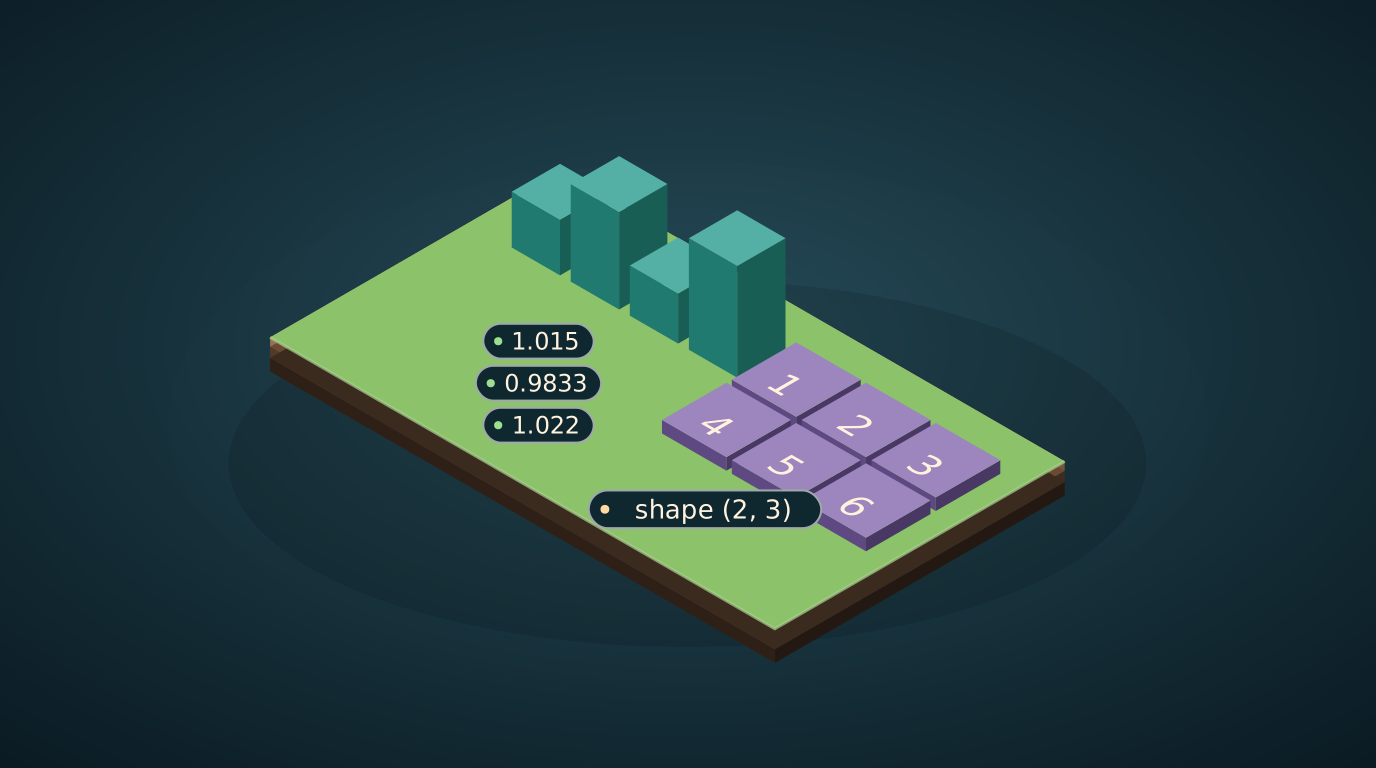
A helper lesson for the course "Build your own arbitrage bot". Lesson 13 checks millions of currency circles with one line of numpy. This page explains the words and the trick, using four prices.
The head-on way: a loop
You have four prices of a coin and you want how much each step changed: price now divided by the previous price. The first version everyone writes is a loop:
prices = [100.0, 101.5, 99.8, 102.0]
ret = [prices[i+1] / prices[i] for i in range(len(prices) - 1)]
print([round(r, 4) for r in ret])
[1.015, 0.9833, 1.022]
It works. It is also the reason a scanner gets slow: Python walks through the list one item at a time. With four prices nobody notices. With a million, you do.
A vector: a list you treat as one object
A vector is a list of numbers. The numpy library stores it in one block of memory and lets you do arithmetic on the whole list with one expression:
import numpy as np
p = np.array(prices)
print(np.round(p[1:] / p[:-1], 4))
print(p.mean(), p.max(), p.argmax())
[1.015  0.9833 1.022 ]
100.825 102.0 3
p[1:] means "all prices except the first", p[:-1] means "all except the last". Dividing one by the other divides pairs at the same position: 101.5/100, 99.8/101.5, 102/99.8. The answer is the same as the loop, with no loop. mean is the average, max the biggest value, argmax the position of the biggest value (index 3, the price 102).
A matrix: a table of numbers
A matrix is a table with rows and columns. A table of exchange rates between currencies is a matrix: row i, column j holds how much of currency j you get for one unit of i.
M = np.array([[1, 2, 3],
              [4, 5, 6]])
print(M.shape, M[1, 2], M[:, 0], M[0, :])
print(M * 10)
(2, 3) 6 [1 4] [1 2 3]
[[10 20 30]
 [40 50 60]]
Read it. shape (2, 3) means 2 rows and 3 columns. M[1, 2] is row 1, column 2 (counting from 0), which is 6. M[:, 0] is the whole first column, M[0, :] the whole first row. M * 10 multiplies every cell.
Broadcasting: a small table stretched to a big one
What if you add two things of different shapes? numpy stretches the smaller one, copying it, until the shapes match. This is called broadcasting.
print(M + np.array([100, 200, 300]))
print(M + np.array([[1], [2]]))
[[101 202 303]
 [104 205 306]]
[[2 3 4]
 [6 7 8]]
In the first line a row of three numbers is copied down to every row of M. In the second a column [[1], [2]] is copied across: the first row gets +1, the second +2. Lesson 13 uses the same stretching to multiply three views of one table and get a cube of all currency triples in one go.
How much faster
import time
x = np.arange(1_000_000, dtype=float)
t = time.perf_counter(); s = 0.0
for v in x: s += v * 2
t1 = time.perf_counter() - t
t = time.perf_counter(); s2 = (x * 2).sum(); t2 = time.perf_counter() - t
print(s == s2, "loop %.3f s vs numpy %.4f s" % (t1, t2))
True loop 0.111 s vs numpy 0.0011 s
The same answer, about 100 times faster on this machine (your numbers will differ). The loop spends its time on bookkeeping for each item, numpy hands the whole block to compiled code once.
Your exercise
- Run all the code and compare your output with the lesson.
- Make a vector of 5 prices of your own and compute the step ratios in one line. Check the first one by hand.
- Build a 3 by 3 table of numbers. Print its second column and its last row.
- Add
np.array([[10], [20], [30]])to your table. Predict the result on paper first, then check. - Change the size of
xto 10 million. How do the two times change?
What comes next
You can read lesson 13 now. Its trick is exactly step 4 above, with a table of exchange rates.